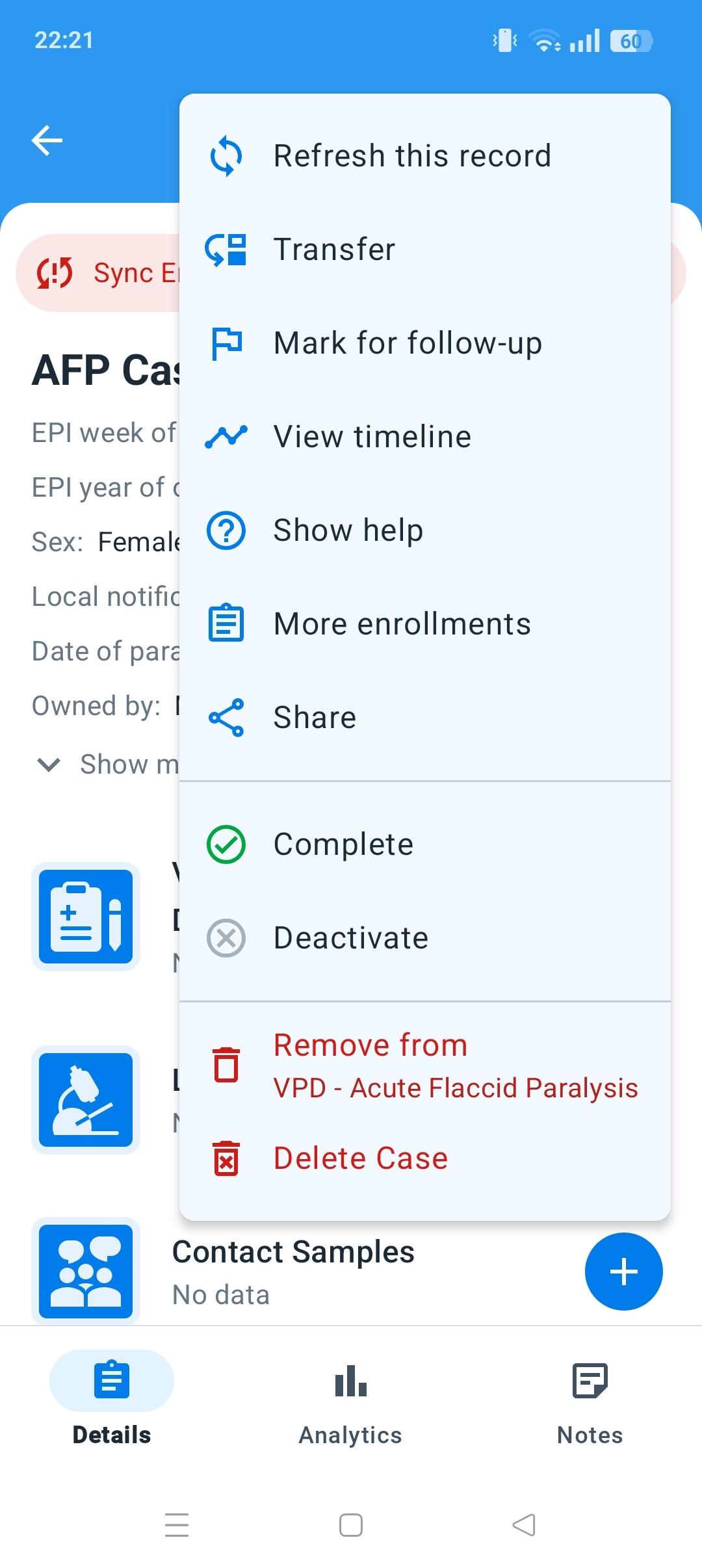
This is a compilation about each of these “features”, based on documentation and information in the CoP.
Meaning
Deactivate a tracked entity (TE) (previously known as tracked entity instance): Deactivating a TE will cause the TE to become “read-only”. This means you cannot enter data, enrol the TE or edit the TE profile. Technically, the TE field inactive changes to true.
Cancel enrollment. Technically, the enrollment field status changes to CANCELLED. This is affecting only the enrolment in that program, so TE can be re-enrolled in that program or in other programs.
Analytics
Based on CoP, TE is considered for analytics (including PI) even if TE is deactivated (it is not considered if TE or enrolment is deleted).
Sorry for the late reply. Just a clarification about the behavior of the Android app: the action “Deactivate” does not deactivate the TE but it cancels the enrollment. I guess this name is legacy from the old Tracker Capture app, where the action was called “Deactivate” enrollment.
So, the missing functionality in Android (according to the list) would be “Deactivate TE”. It is not the roadmap at the moment, but we will take it into account to review it.
Thanks a lot for the update. I have updated the post, reflecting these new insights.
With this new information, I think that it will be worthy to update the documentation in Program features - DHIS2 Documentation in order to be accurate.
Also, does it make sense to update the wording in the Android app and use the “Mark as cancelled” as in Capture web app?