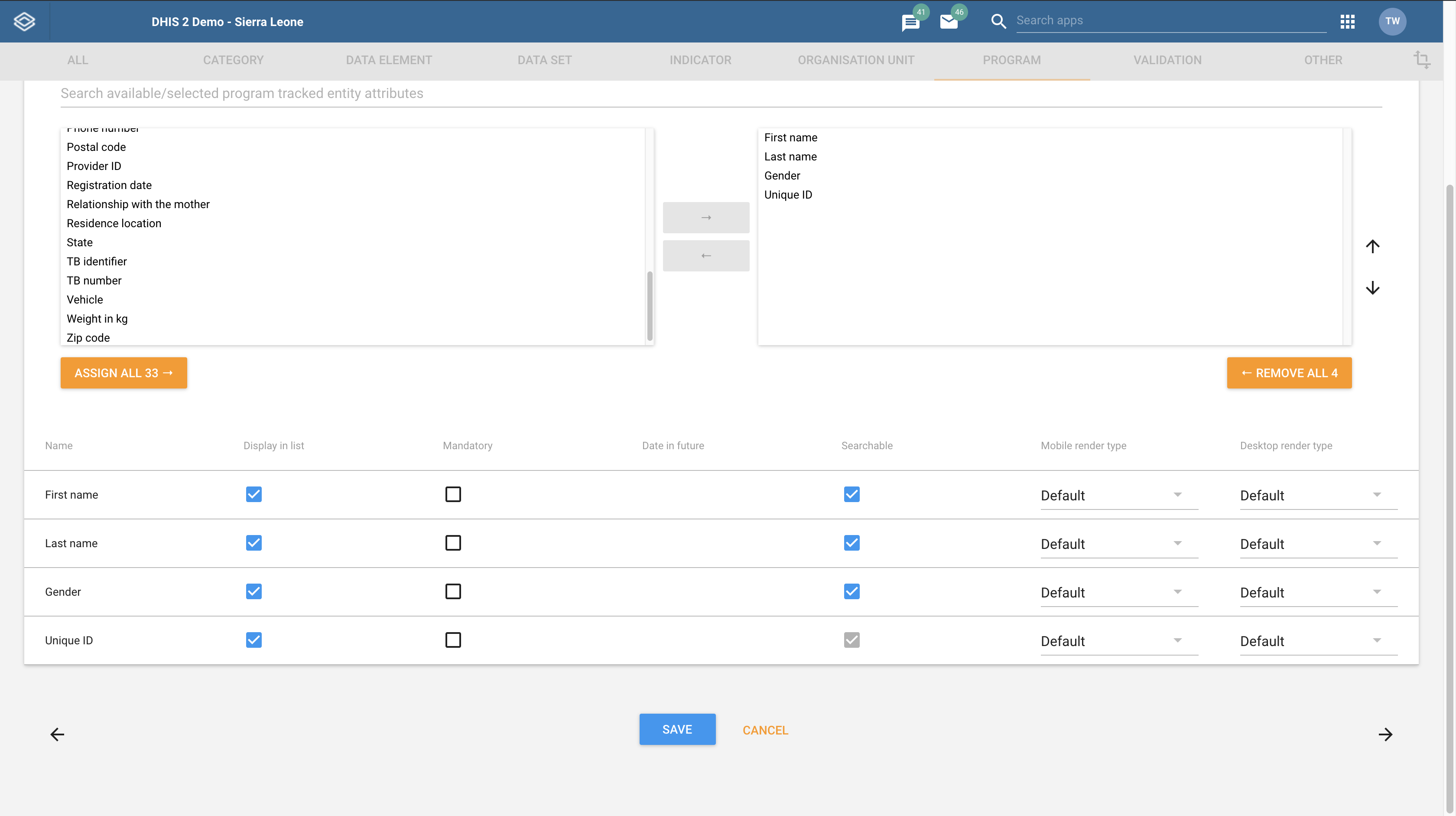
Hi @Pradeep, this can be achieved by going to the program you want to use (in the “Maintainance App”) on the “Program details” tab, ensure that “Display front page list” is selected. Then go to the “Attributes” tab. When there ensure that you click “Display in list” for the attributes you want to show in the list (see image below).
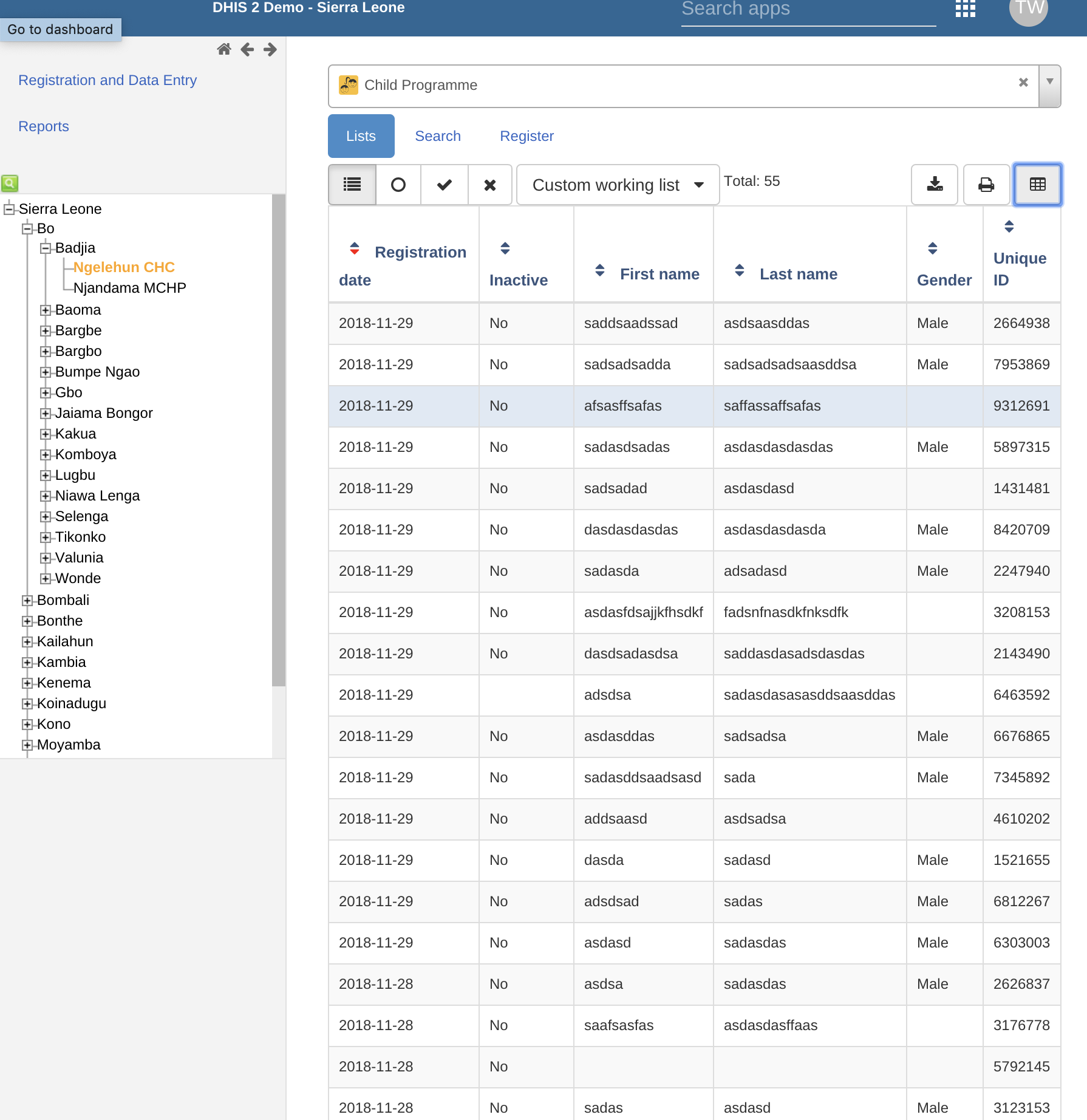
Once this is done you can go to the “Tracker Capture App” and select an organisation unit and the program you just configured in the “Maintainance App”. Now TEIs should be displayed in a list with all the attributes you selected.