Hi @Matthew_Boddie,
I was able to save the file by pressing Ctrl+S but I can not see attributes. Here are the steps I have taken:
- Open the Excel file
- Click the Data tab
- In the ‘Get & Transform’ data group, clicked on the ‘Get Data’ option
- Go to the ‘From file’ option
- Click on ‘From XML’
- In the input data dialog box that opens up, I located the XML file that I want to import and selected it
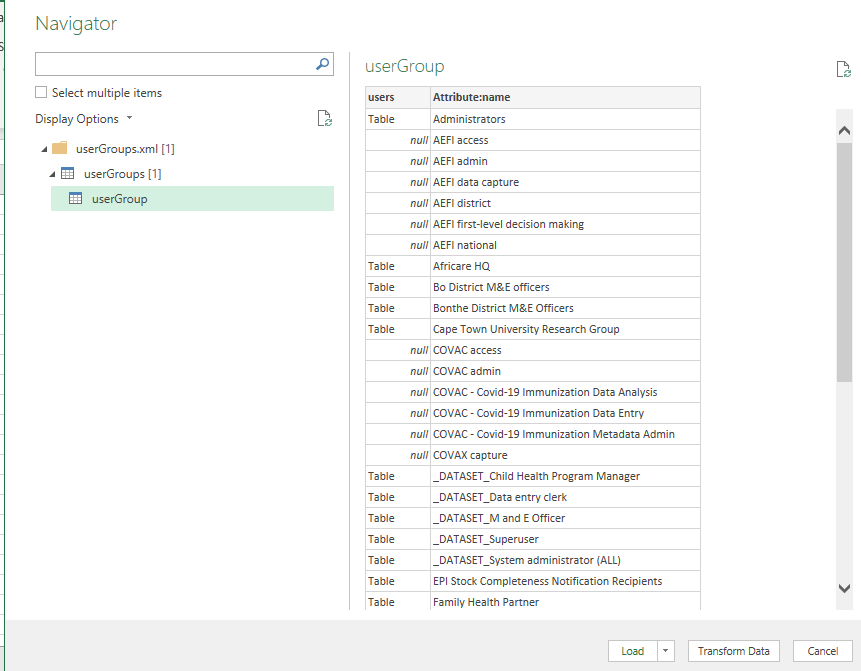
- Clicked Import. the XML file is imported into power query and Navigator dialog box is opened,
But see the data that is displayed in the preview window. . There are no display name and username as shown in the XML. it only shows user groups
.
8, clicking on load or transform data does not alter anything. I am unable to extract usernames
Thanks